Dev log 7 of 9
Getting Ready For Playtesting: Level Design and Artifact Mechanic
Admittedly, today involved a little bit of crunch. I wanted to make sure I had something for in-class playtesting tomorrow. While I was in my meteorology lecture, I came up with an idea for the map of my game. I got inspiration from the show Yellowjackets, a show about a highschool soccer team that is stranded in a remote forest after a plane crash. In the show, a few of the characters begin mapping the nearby sections of woods and discover a set of symbols, and when the location of each symbol is mapped they all collectively form a larger version of the symbol. I wanted to do something similar with my game, so I designed a witchy, occult-like symbol using some alchemical symbols. I then drew the game map over this symbol, and placed the artifacts at each of the symbol's key vertices
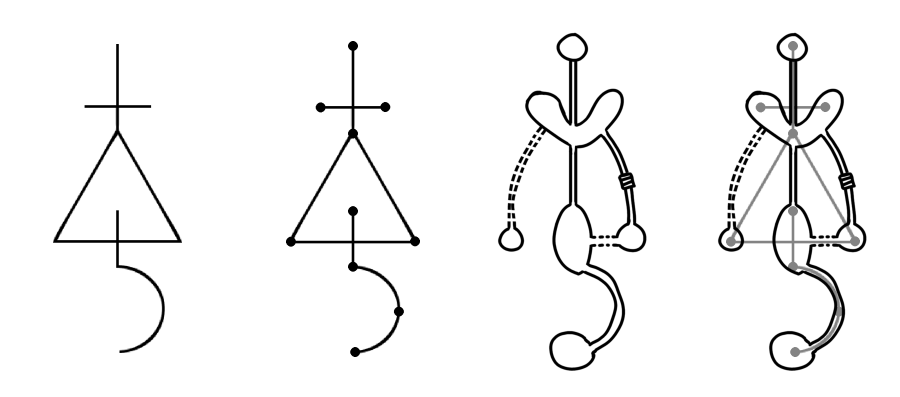
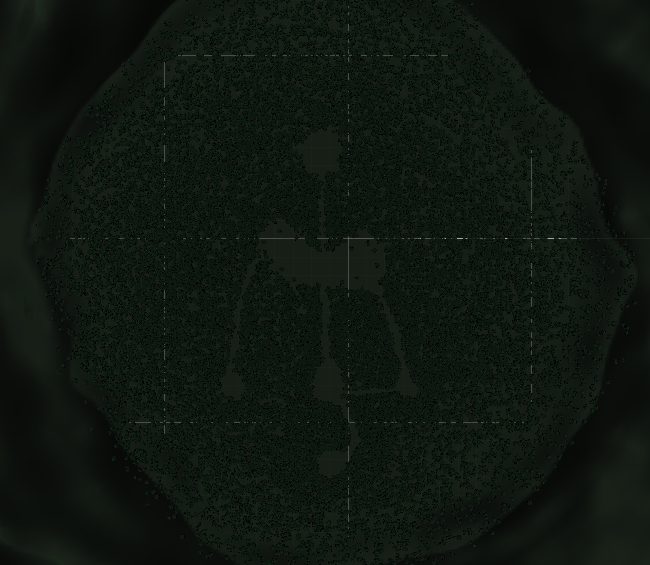
To design this map in Unity I used a Terrain object, which allowed me to “paint” elevation, trees, and ground textures. Using this technique I was able to quickly lay out the game map that I had previously designed; however, it is not very easily edited or updated. For example, I decided the tree model I used did not match the aesthetic of my game, but I would have to repaint the entire map in order to change it.
Painting trees onto the terrain also did not give me a lot of control over spacing. I want to have two hidden paths, and the spacing of the trees makes it quite difficult to find these paths. I'll have to see if they are too difficult to find during playtesting tomorrow.
I also implemented a simple artifact collection mechanic that was mainly recycled from my Ludum Dare 54 game jam container vertical-container entry. I then placed an “Artifact” (currently just a cube) at each vertex of the occult symbol I designed.